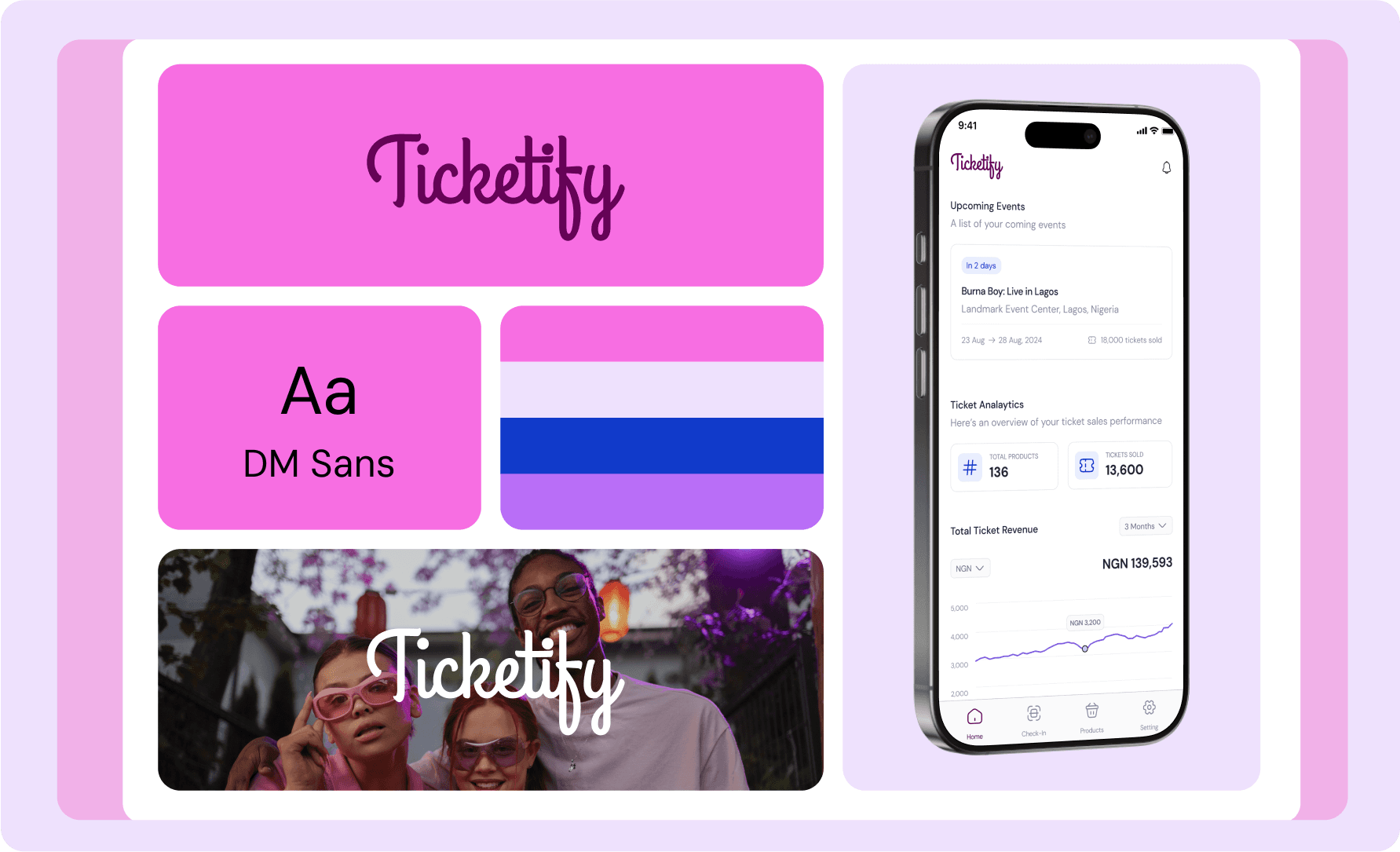
Simplifying Ticket Accreditation and Sales for Event Managers
My Role
Product Designer
Timeline
3 Weeks
Industry
Eventech
Year
2024
Introduction
Ticketify is a mobile app designed to help event creators manage ticket sales, monitor analytics, and handle attendee check-ins seamlessly. As the sole designer, I was responsible for translating the stakeholder’s vision into a user-friendly and visually appealing design within a tight 7-day deadline.
Problem Statement
Event organizers often find it hard to handle ticket sales, keep track of who’s attending, and manage check-ins smoothly. Traditional methods are time-consuming and prone to errors, especially for in-person events. Ticketify makes this easier by giving organizers a single platform to sell tickets, track sales, and check in attendees quickly and accurately.
Design Decision
User Flows
I started by mapping out the user flow to ensure the app’s structure aligned with the stakeholder’s vision and user needs as stated in the project brief. Once the flow was approved, I moved quickly to high-fidelity designs.

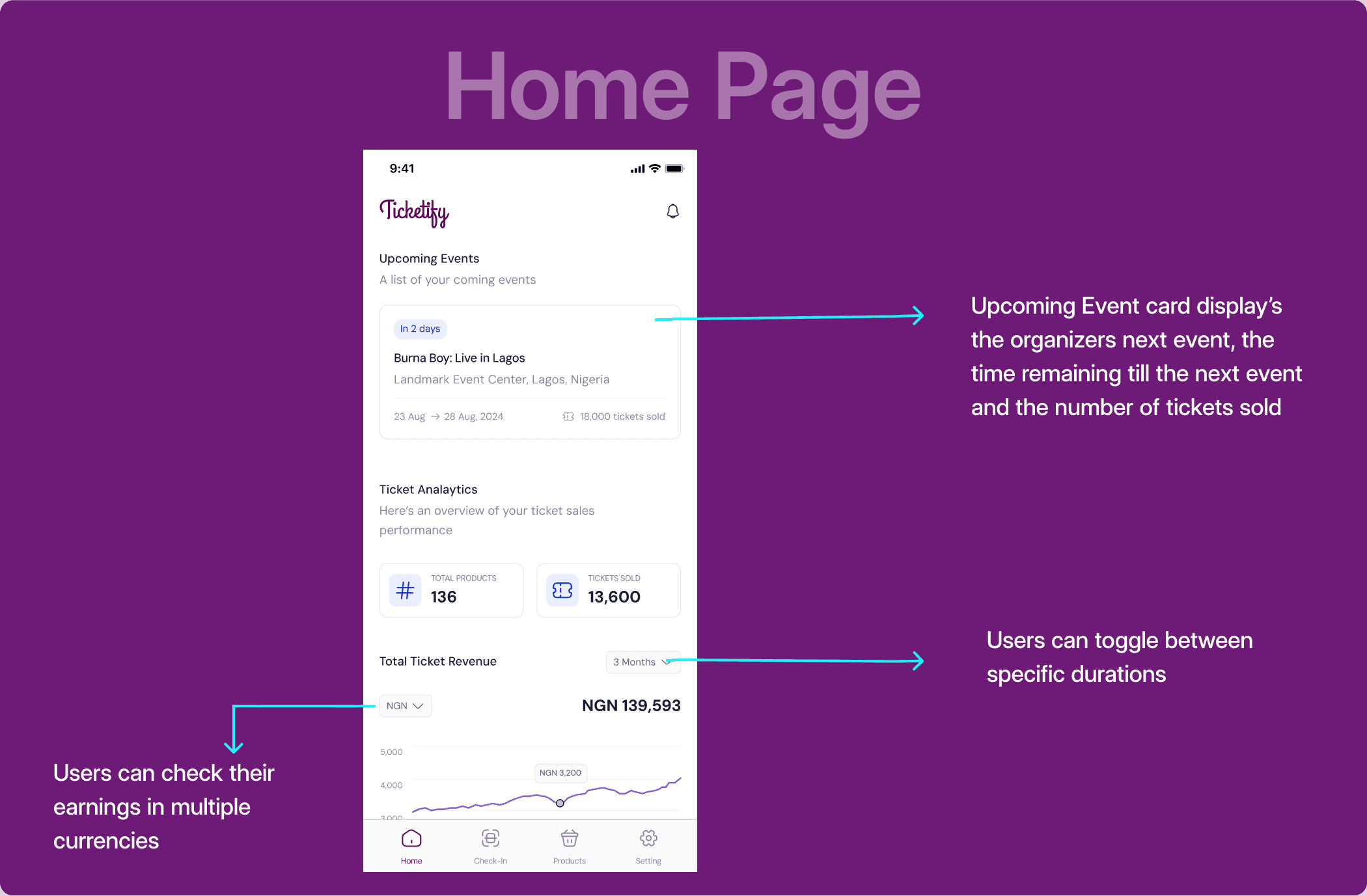
Home Page
A brief overview of the creator’s ticket analytics and highlights upcoming events. The goal of the upcoming events card is to direct the user's attention to the most imminent event.
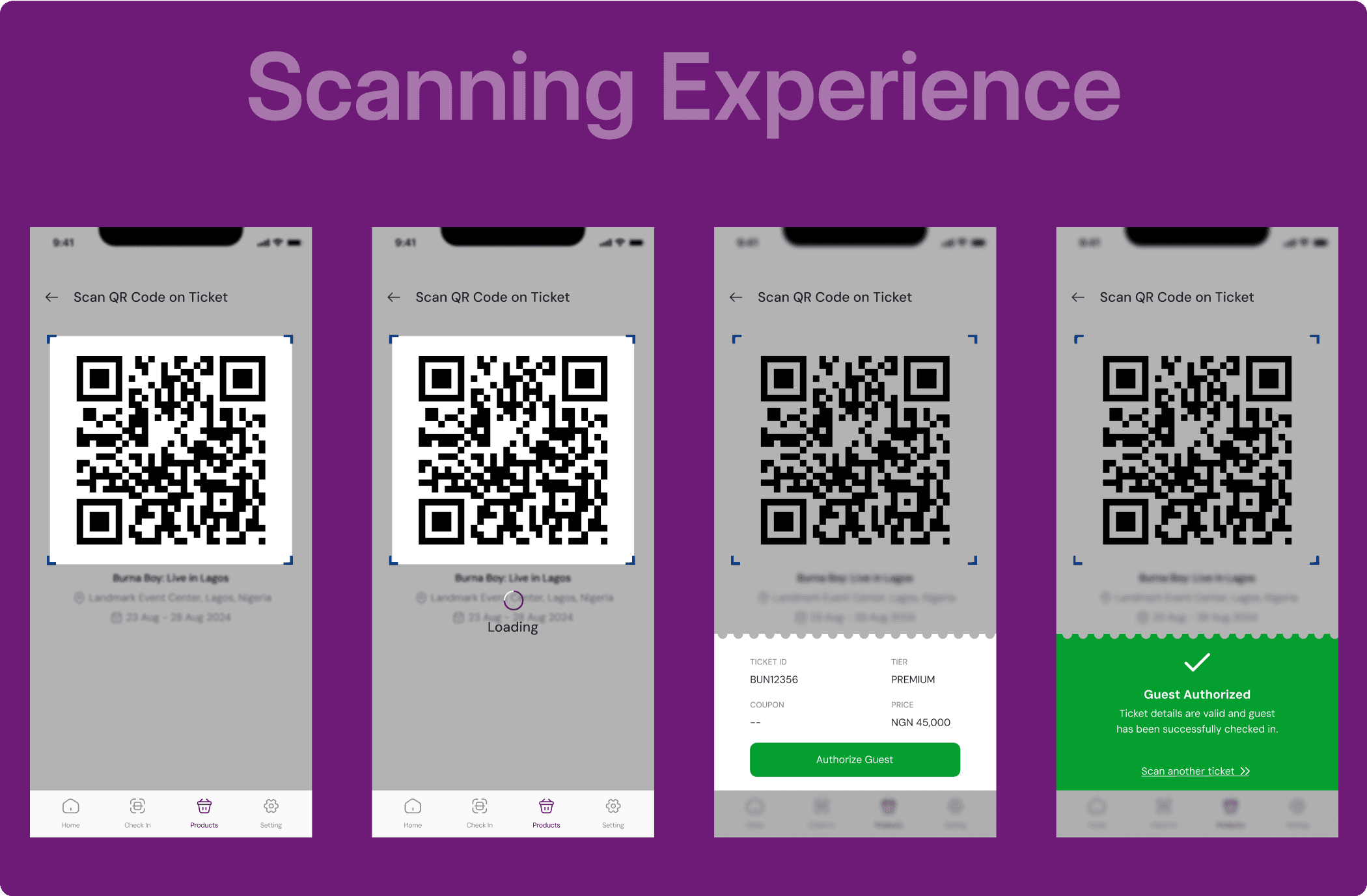
The Scanning Experience
To create an intuitive experience, I took inspiration from the ticket icon. I used bright colors to clearly indicate success and failure states, making actions easily recognizable at a glance. This ensures that creators can quickly process information, even when handling many attendees.
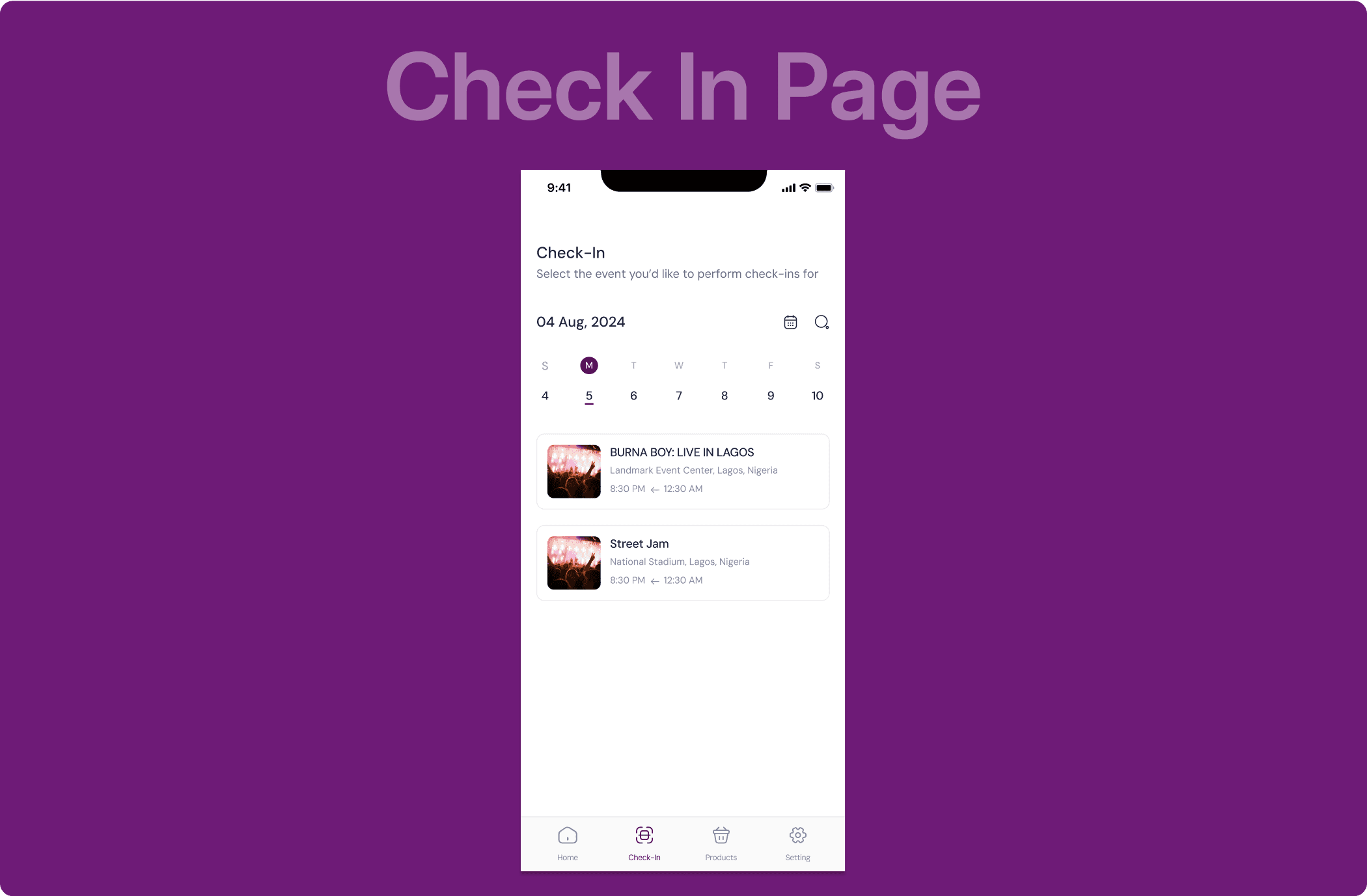
Check In Page
This page allows users to select the event they will be doing ticket validation for before getting to the scan page. I chose a calendar format for this page because it’s intuitive, allows users to easily navigate and select specific dates, which is particularly useful for event organizers who may be managing multiple events across different days.
Future Implementation
These are some features I think would be nice additions to the app and would love to implement if I had more time
Multiple check in options: Allow creators to check in guests using their ticket ID if a QR code is not available.
A direct Check In page: Currently, users need to select an event before scanning a ticket. If the app could automatically detect the event via location, we could reduce the steps required for scanning guests.
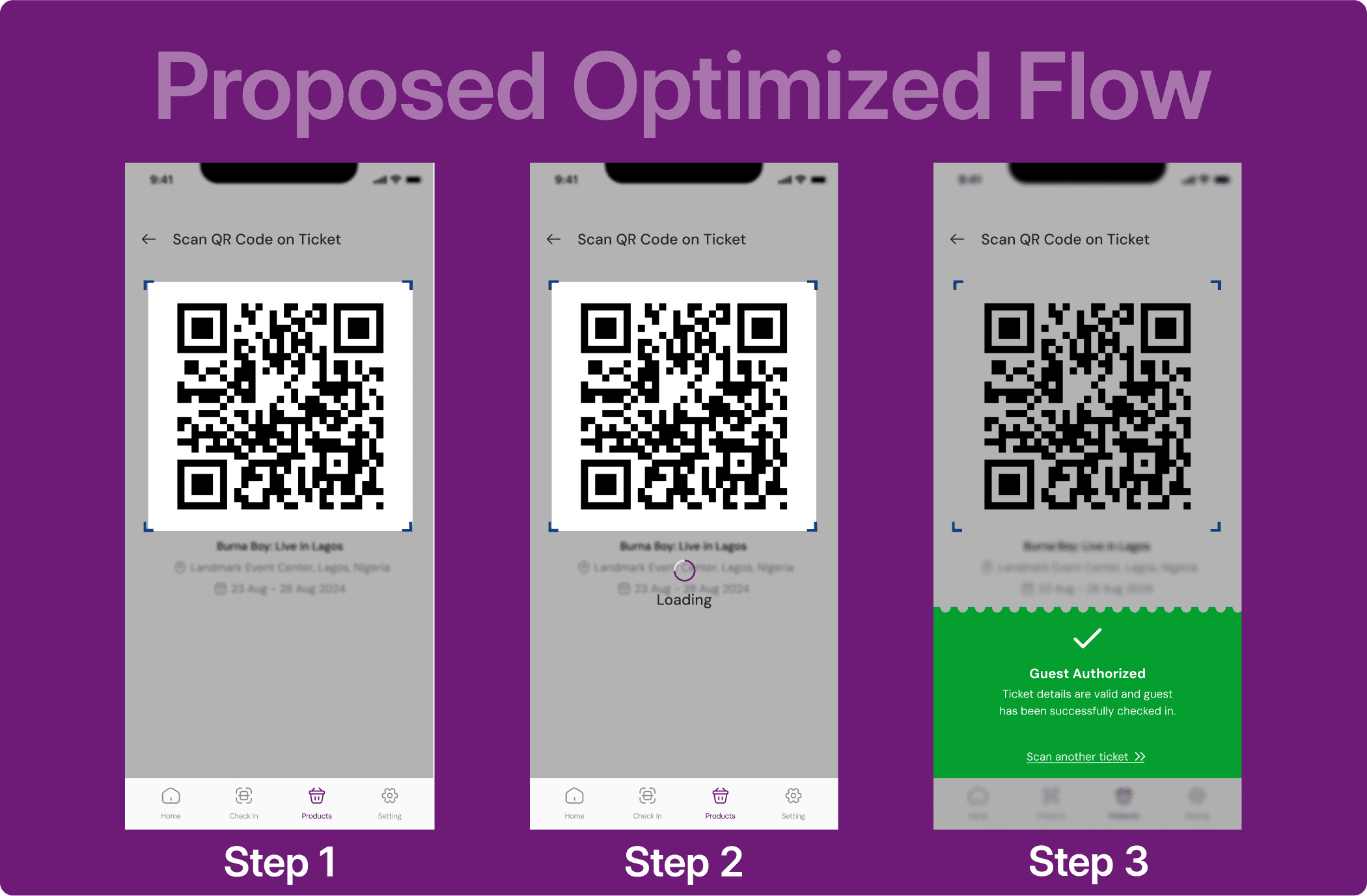
A proposed scanning flow for organizers: To make things easier for event organizers dealing with lots of attendees, I wanted to cut down on the steps they need to take. Since the app already asks organizers to pick an event before checking people in, it saves that event info and checks guest details automatically. This means we can skip the extra step of authorizing each user, making the whole process faster and simpler.